
What Each Report Shows
| Report | Shows |
|---|---|
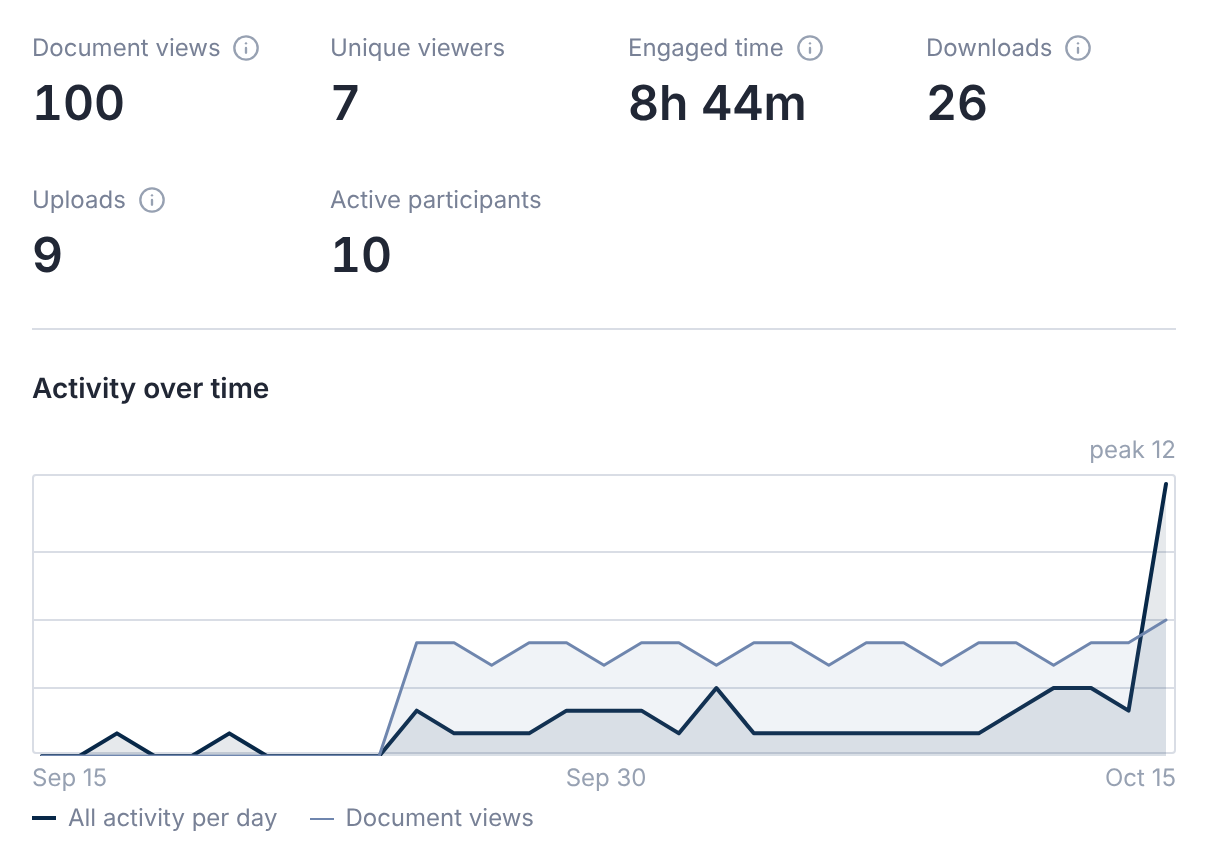
| Overview | Views, unique viewers, engaged time, downloads, uploads and active participants. |
| Documents | Most viewed, by folder, and never viewed. |
| Users | Activity by person, company, group and tag. |
| Q&A | Open, answered and closed questions, response times and workload. |
| Search | Top searches, and searches that found nothing. |
| Security & Audit | Sign-ins, failed sign-ins, invitations and an audit timeline. |
| Operations | Documents, versions, pages, storage and failures. |
| Notifications | Emails sent, skipped and failed. |
| AI usage | AI activity by agent and document. |
| All Activity | Every event, filtered by type or person. |
Date ranges are the last 7, 30 or 90 days, or 12 months. The default is 30 days.
In Users, select a person to see their figures for the period and their recent Activity.
View full activity opens All Activity for that person.
Export a Report
Select Export in any report except All Activity. Each export is recorded in the deal's activity.
Reading the Figures
- Engaged time counts only time the document was on screen, so it's a minimum.
- Downloads count downloads started. What happens to a file afterwards can't be seen.
- Failed sign-ins are counted with a limit, so the real number may be higher.
Reports cover only the members you're allowed to see. A note says Figures cover the members visible to you.
Questions
- Can bidders see each other's activity?
- No. Reports are for the deal team, and visibility keeps each company to what it may see.