
If You're New to DiligensHub
You create your account as you accept.
- 1.Open the email titled Data Room Invitation: and the deal's name, and select its link.
- 2.Under Create your account, enter your first and last name.
- 3.Choose a password of at least 8 characters, then confirm it.
- 4.Select Create account & join.
- 5.Sign in. If the room asks for two-factor authentication, set it up next.
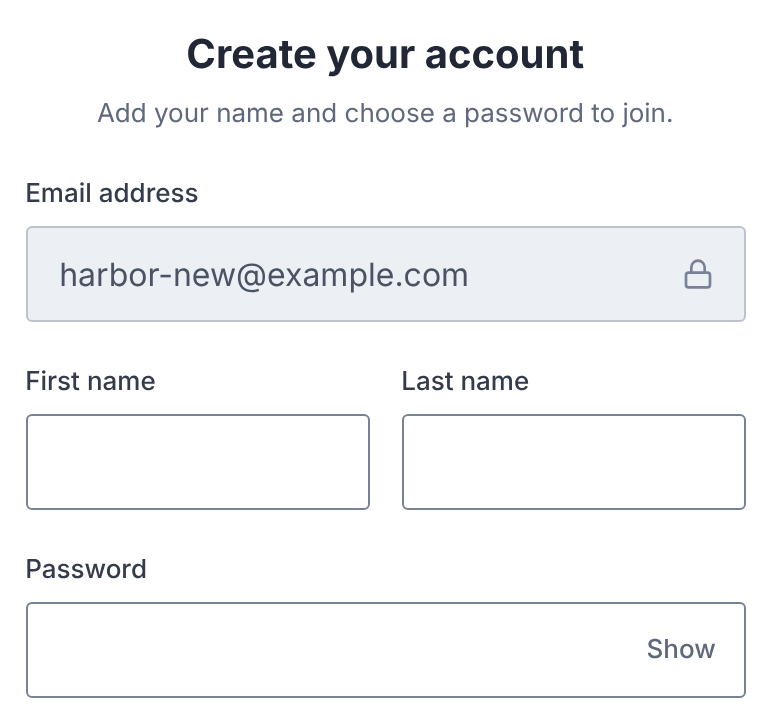
This password is your DiligensHub account password. It signs you in everywhere you have access.
If You Already Have an Account
There's nothing to fill in.
- 1.Open the invitation link.
- 2.Select Join deal room, or Join organization.
- 3.Sign in with the password you already use. It isn't changed.
What the Invitation Shows
- Who invited you, and their organization.
- Their personal note, if they wrote one.
- When the link expires: This invitation expires on and the date.
The inviting organization can set a different link length, so check the date shown.
How long your access lasts is separate. The deal's administrators can give your access its own end date.
If the Link Doesn't Work
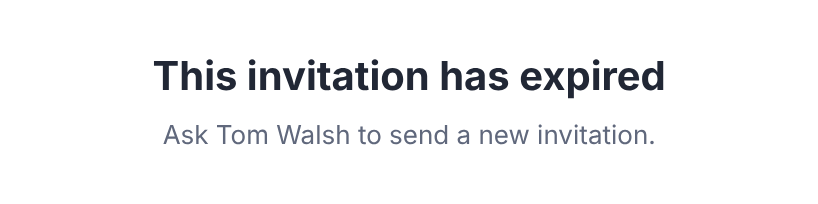
The page says what happened. Find the message below.
| Message | What to do |
|---|---|
| This invitation has expired | Ask the person who invited you to send a new one. |
| This invitation has already been accepted | You're in already. Sign in at the room's address. |
| This invitation was withdrawn | Ask the person who invited you if you still need access. |
| This invitation link isn't valid | A newer link may have replaced it. Use the most recent link you were sent. |
| You are already a member of this deal room. | Sign in at the room's address instead. |
When an invitation is resent, the new email has a fresh link. The old link stops working.
Questions
- How long does an invitation last?
- Deal room links last 7 days by default, and organization links 30 days. The page shows your exact date. Each link works once.
- Who can send me a new invitation?
- The person who invited you, or another administrator of the deal. They choose Resend Invitation in the deal's user list.