
Two Kinds of Address
Where you sign in depends on how you were invited.
| Who | Where to sign in |
|---|---|
| Organization members | app.diligenshub.com. It asks for your email, then Continue, then your password. |
| Deal room members | The room's own address, such as yourdeal.diligenshub.com. It asks for your email and password together. |
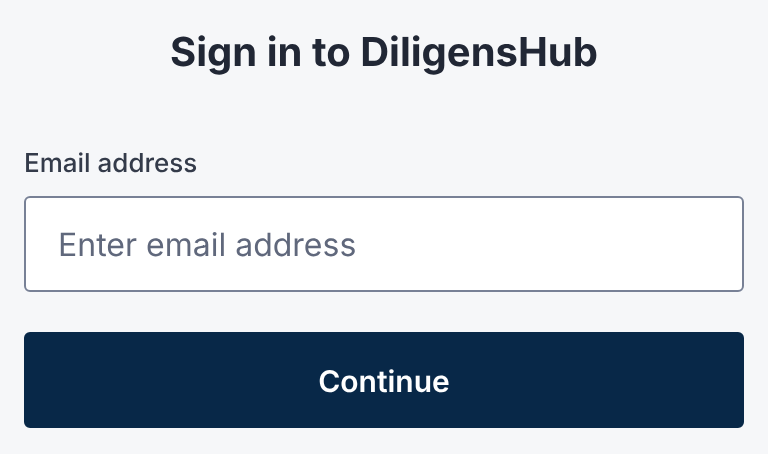
Both pages are headed Sign in to DiligensHub, so check the address bar.
Deal room members include buyers, advisors and the seller's deal team. They don't use app.diligenshub.com.
Each deal room signs you in separately. Signing in to one room doesn't sign you in to another.
One Account for Every Room
You have one DiligensHub account for each email address.
The same password and authenticator app work in every organization and deal room you belong to.
Email addresses aren't case-sensitive, so Jane@Example.com and jane@example.com are the same account.
If Your Password Isn't Accepted
Signing in at the wrong address can look like a wrong password.
The message reads: Incorrect email or password. Make sure you're using the correct URL.
- 1.Open the link in your most recent invitation email.
- 2.Check that the address bar shows your deal room's address.
- 3.Sign in again, typing your password carefully.
- 4.Still refused? Reset your password.
When a Room's Address Changes
A deal team can change its room's address. The old address then sends you to the new one.
You'll need to sign in again at the new address. Update any bookmark you saved.
Bookmark your deal room's address once you're in. It's the quickest way back.
Questions
- Where do I sign in as a buyer?
- At the deal room's own address, from your invitation email. Buyers don't sign in at app.diligenshub.com.
- I belong to two deal rooms. Do I need two accounts?
- No. One account, one password and one authenticator app cover every room. Each room has its own address and sign-in.