
What Each Status Means
| Status | What it means |
|---|---|
| Open | Waiting on the deal team. |
| Needs info | The deal team asked you for clarification. It waits until you reply. |
| Answered | The deal team replied. It stays here until it's closed. |
| Closed | Finished, and kept for the record. |
| Withdrawn | You withdrew it before it was answered. It's listed under Closed. |
Follow Up on an Answer
- 1.Select Q&A in the sidebar, then My questions.
- 2.Select the question to open it.
- 3.Type in the box under Conversation, then select Post follow-up.
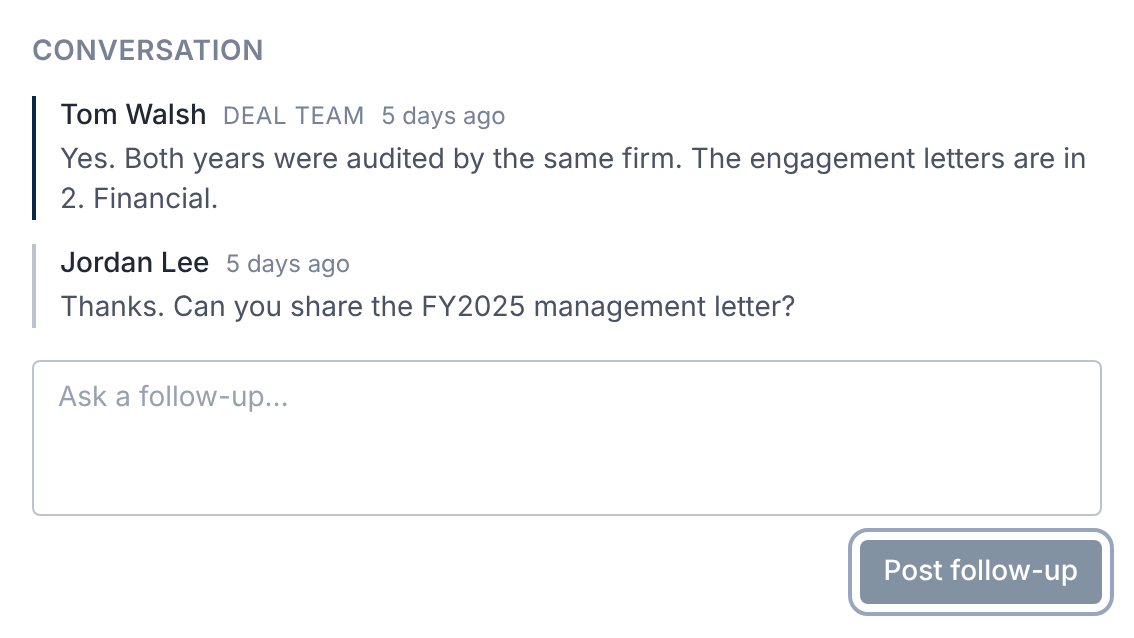
A follow-up sends the question back to Open, and the deal team is notified.
Only the person who asked can post in a question's conversation.
When the Deal Team Asks for Clarification
You're notified, and the question shows Needs info.
Open the question. The note reads The deal team asked for clarification. Your reply sends the question back to them.
Type your answer, then select Send reply.
Withdraw or Close Your Question
- Withdraw question appears while the question has no answer. Use it if you no longer need one.
- Close question appears once it's answered. Use it when the answer resolves your question.
Confirm in the dialog. Only a Q&A manager on the deal team can reopen it afterwards.
Withdrawn and closed questions still count toward any question limit the deal sets.
What You're Told
- When your question is answered. The email subject starts Question Answered.
- When the deal team asks for clarification. The subject starts Clarification requested on your question.
How often these emails come depends on your Q&A setting in User Settings. The bell keeps every notification.
Questions
- Can I edit my question after submitting it?
- No. Post a follow-up in its conversation to add detail.
- Why can't I reply to a shared question?
- Only the person who asked can post in a question's conversation. Ask your own question instead.