
What the Markers Mean
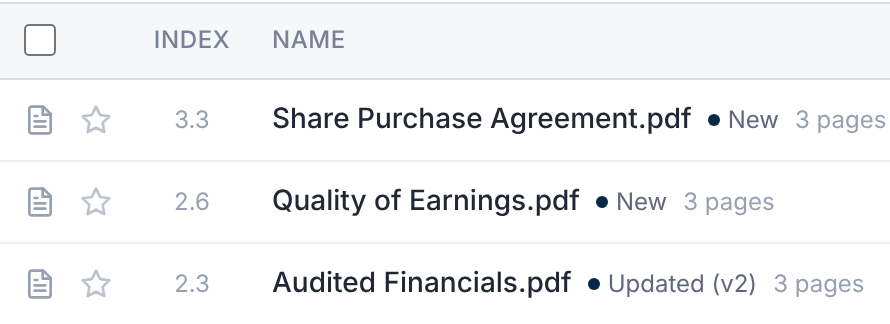
| Marker | What it means |
|---|---|
| New | You haven't opened or downloaded any version of this file. |
| Updated (v3) | You saw an earlier version. Version 3 is now current. |
| No marker | You're up to date with this file. |
"New" means new to you. A file you were just given access to shows New, even if it's old.
A file counts as seen once you open it in the viewer, or download it.
List Everything New
- 1.Select New for you above the folder tree.
- 2.To narrow it, use Added: Since last visit, Last 7 days or Since a date….
It lists up to 200 files, newest version first. You're up to date means there's nothing new.
Mark Them as Seen
Select Mark all as seen, then Mark as seen. The markers clear, and nothing is downloaded.
It covers every file the current filter matches.
Download Everything New
Select Download new. The Download dialog opens on New and updated for me.
See Download Documents for what happens next.