
Create It
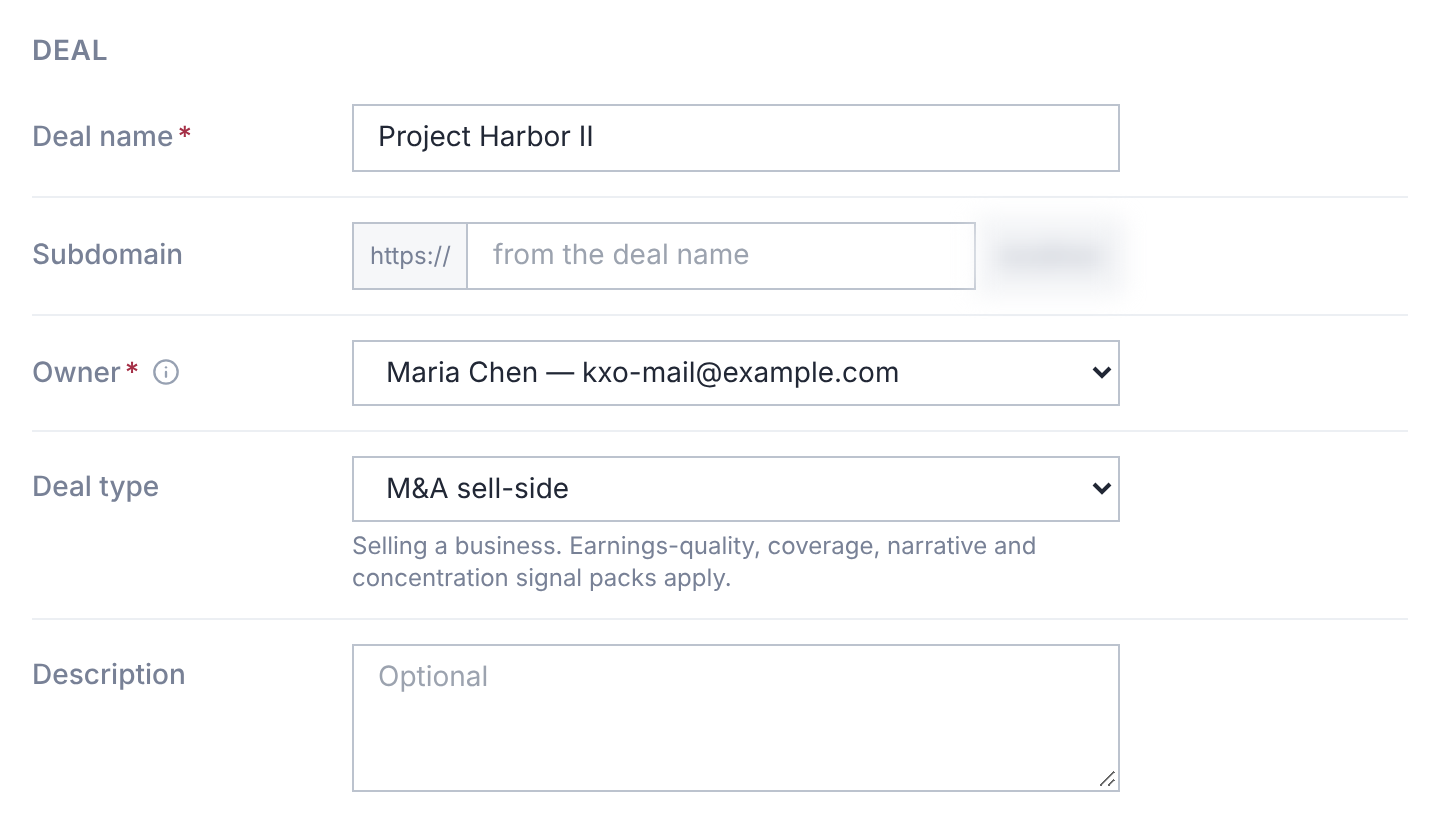
- 1.Open Deals, then Create deal.
- 2.Enter a Deal name.
- 3.Enter a Subdomain for its address, or leave it blank to make one from the name.
- 4.Choose the Owner, the room's first user, with full control. You are preselected.
- 5.Choose a Deal type. M&A sell-side is preselected.
- 6.Review Features and Templates, then select Create deal.
The owner list shows your organization's active users. Viewers aren't offered Create deal.
Your plan sets how many deals can be active at once. At the limit, the form says so:
| Message | What to do |
|---|---|
| Your plan allows 1 active deal and all are in use. Freeze or archive a deal, or change plan, to open another. | Your plan's active deals are all in use, so Create deal is turned off. Freeze or archive a deal, or change plan. |
| This organization's plan allows 1 active deal. Freeze or archive a deal, or change plan, to open another. | Your plan's last place was taken meanwhile. Freeze or archive a deal, or change plan. |
The number matches your plan. Administrators get a Billing link beside the message.
Deal Types
M&A sell-side, M&A buy-side, Capital raise, Debt financing, Real estate, Litigation / regulatory, and Generic.
The type decides which Deal Signals packs apply. You can change it later in Deal Settings → Details.
Features and Templates
AI, AI Assistant, Deal Signals, Q&A, Requests and Discussions all start on. Switch off any you don't need.
AI Assistant and Deal Signals need AI. Turning AI off turns them off too.
- Request list: start the checklist from a template, or None for an empty list.
- Folder structure: start the folders from a template, or None for empty folders.
Your organization's default request list is preselected, or else the platform's default.
After You Create It
You'll see Deal created, with Open Deal to go straight in.
The owner signs in with their existing account. Then invite people.
On a trial, your organization's first deal starts the trial. See Request a Free Trial.
If the Address Is Refused
- Subdomain … is already taken: choose another.
- …is reserved and cannot be used for a deal: names such as app and www are reserved.
- Use only lowercase letters, numbers and hyphens.