
Three Kinds of Set
| Kind | Where it comes from |
|---|---|
| This deal's sets | Made in this deal. Select one to edit it. |
| Built-in | Supplied by DiligensHub. Shown as System in pickers. |
| Organization | Your organization's templates. Select Duplicate to this deal to make an editable copy. |
The deal owner always has full access and isn't in any set.
Create a Set
- 1.Select Permission Sets in the sidebar, then New Permission Set.
- 2.Under Start from a template, choose a template or Blank set.
- 3.Give it a Name, and optionally a Description and an end date.
- 4.Set folder access in Folder Permissions. See Folder Access Levels.
- 5.Work through the other sections, then select Save.
Save as template keeps a copy your organization can start from in any deal.
What Each Section Controls
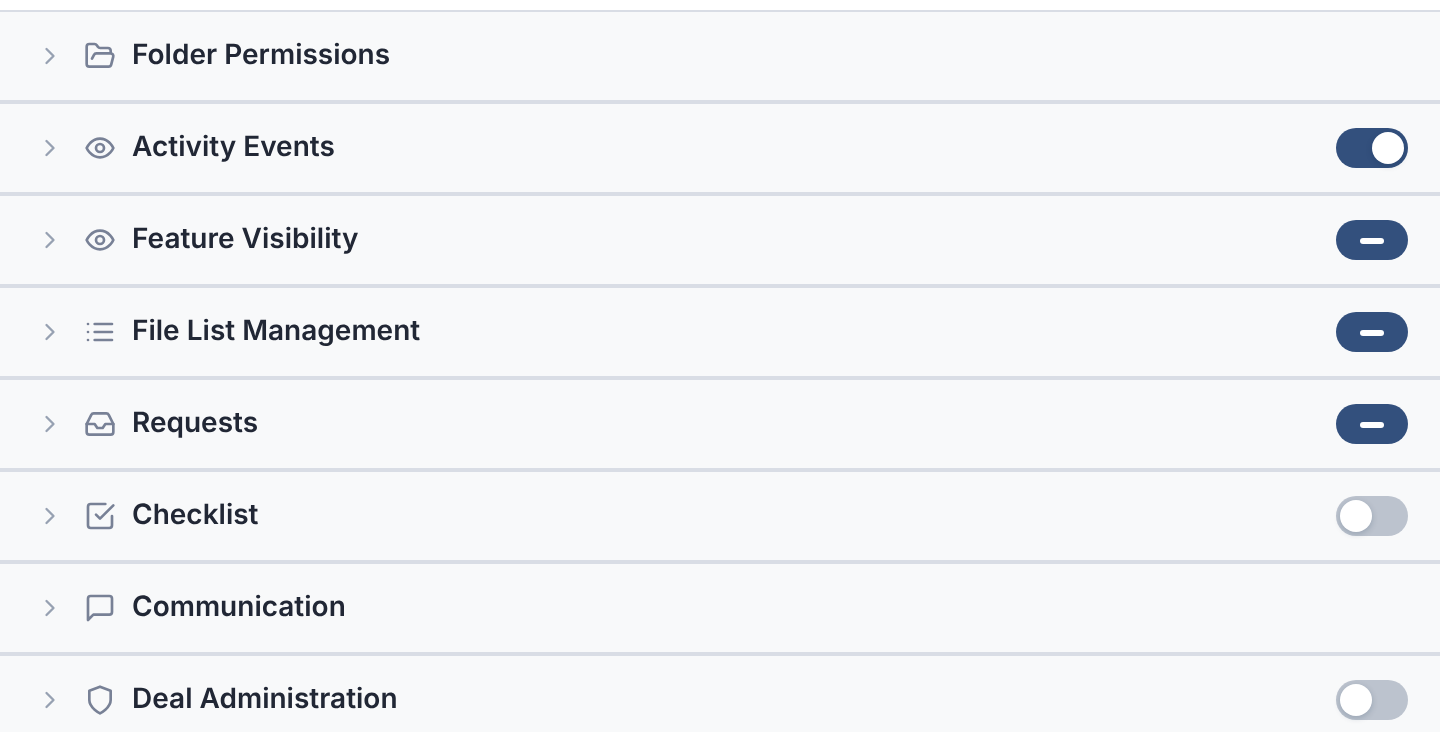
| Section | Controls |
|---|---|
| Folder Permissions | Each folder's level, and what it allows. Q&A and AI review permissions sit here too. |
| Activity Events | Which events members are notified about. |
| Feature Visibility | Deal-wide: the Dashboard, Review Queue and AI Assistant. File view: details, versions, activity, AI review, checklist. |
| File List Management | Create folders, move files, bulk downloading and editing, Needs Attention, Recycle Bin. |
| Requests | View all requests, Manage Requests, Submit Requests. |
| Checklist | View Checklist, Assignment, Accept, Edit Checklist. |
| Communication | Visibility, Discussions, question and request limits, notification defaults. |
| Deal Administration | Users page, deal settings, reports, and Manage Users & Permissions. |
The AI Assistant row shows only while the deal's Enable AI Assistant switch is on, in Deal Settings. New sets start with it off.
Give Someone a Set
Choose it when you invite them. Or open their row in Users and change Permission set.
To change several people, tick their rows and select Set Permissions.
How Several Sets Combine
- Any permission that's on in any of a member's sets is on.
- The highest folder level wins. Original beats PDF, which beats Fence.
- The most open visibility wins, and the most generous question limit.
To take something away, check the member's groups too. A group's set can still grant it.