
Let Participants Submit Requests
- 1.Open Deal Settings → Communication, and turn on Enable Requests.
- 2.In Permission Sets, give the sets that should submit requests Submit Requests. It's off by default.
Your team can manage requests even while Enable Requests is off.
Review a New Request
New requests wait under Needs Review. You're notified when one arrives.
DiligensHub analyzes each request first. You're told when it's ready for review.
- 1.Select Requests, then the request.
- 2.For each requirement, choose a resolution, such as Map to existing checklist item or Create a new checklist item.
- 3.Select Save Selections.
The other resolutions are Request a written response, Duplicate of another requirement and No action needed.
If you tick Use requester's wording, everyone with checklist access sees that text, including other bidders.
Fulfil It
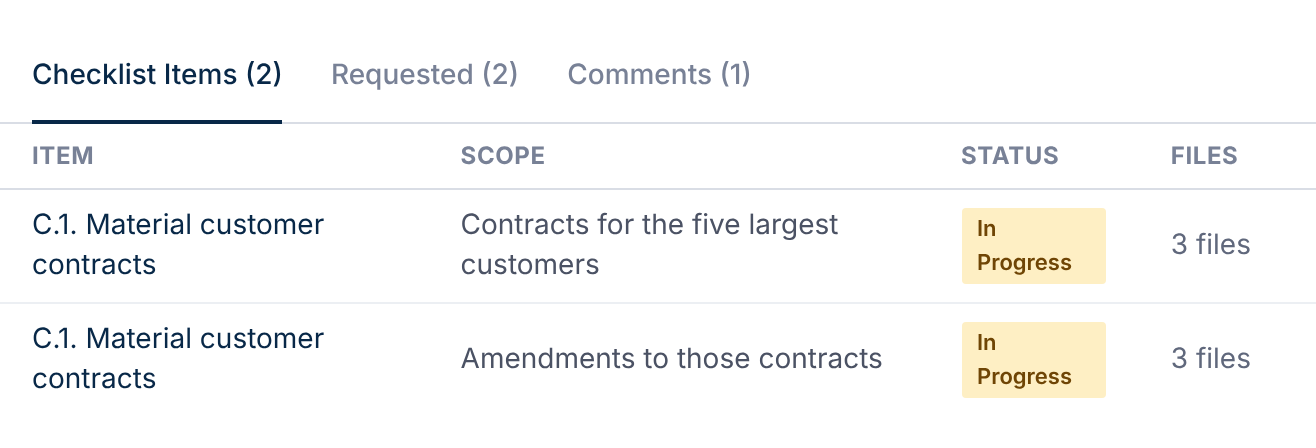
On each mapped checklist item, select Attach Files, then Mark Fulfilled.
The requester sees Partially Fulfilled, then Fulfilled, and is told at each step.
Close or Withdraw a Request
Use Close Request on the request page, or More → Withdraw.
Closing leaves its checklist items as they are. Select Reopen to resume it.
Limit How Many Requests Each Party Sends
Open a permission set and find Submission limits → Request limits. Blank means unlimited.
People who can manage requests are never limited.
Talk to the Requester
Use the request's Comments tab. The requester is notified of each comment.
Tick Internal (hidden from external parties) for notes only your team sees.