
Turn It On
- 1.Open Deal Settings → Digital Rights Management.
- 2.Turn on Protect documents with DRM.
- 3.Read the dialog, then select Enable DRM.
Existing documents are encrypted in the background. The page shows progress, then All documents encrypted at rest.
Copies people downloaded before you turned it on aren't affected.
What Changes for Members
- Viewing in the data room works as before.
- Downloads become protected copies that check access each time they open.
- Folders that grant Plain Download (DRM Exempt), Manage Folder or Full still deliver original files.
Grant Plain Download (DRM Exempt) per folder, in Custom permissions.
Set the License Policy
It applies to protected copies issued from then on.
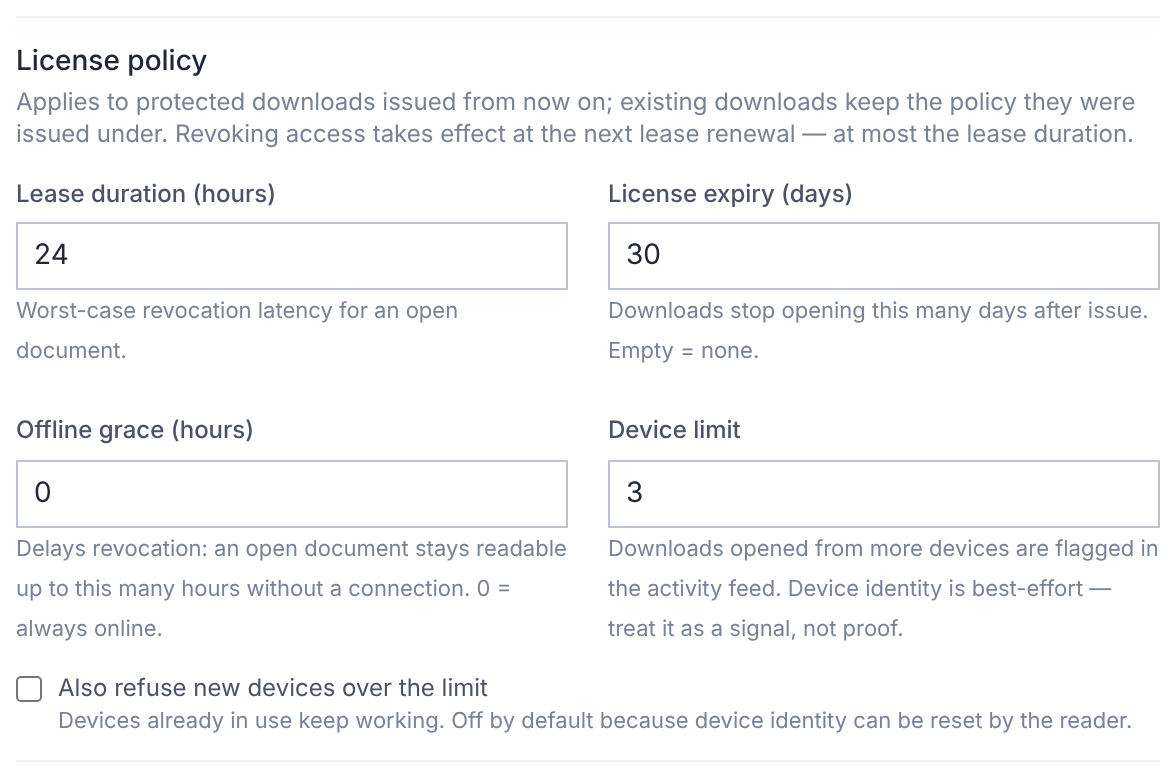
| Setting | Default | What it does |
|---|---|---|
| Lease duration (hours) | 24 | How long an open copy runs before it re-checks access. The longest a revocation can take. |
| License expiry (days) | None | Copies stop opening this many days after download. |
| Offline grace (hours) | 0 | How long a copy stays readable offline. 0 means always online. |
| Device limit | 3 | Opening on more devices is flagged in activity. |
Tick Also refuse new devices over the limit to block, not just flag. Then select Save license policy.
Offline grace above 0 also lets members save documents for offline use.
Lock DRM
Turn on Lock DRM so only the deal owner can turn DRM off or remove the lock. Both are recorded.
Turning It Off
Turning DRM off revokes every protected copy already downloaded. It can't be undone.
Downloads then work as before for members with download access. Files stay encrypted at rest.
What DRM Can't Do
Protected copies are revocable, watermarked and audited, but no system is copy-proof.
Screenshots, photos of the screen and copies taken before DRM can't be stopped or recalled.